Does Zoom Detect Screen Sharing? Can Interviewers See Your Screen (2026)
Can Zoom see your screen? No — Zoom can't detect screen sharing or see other apps and tabs unless you choose to share. Interviewers only see your camera.
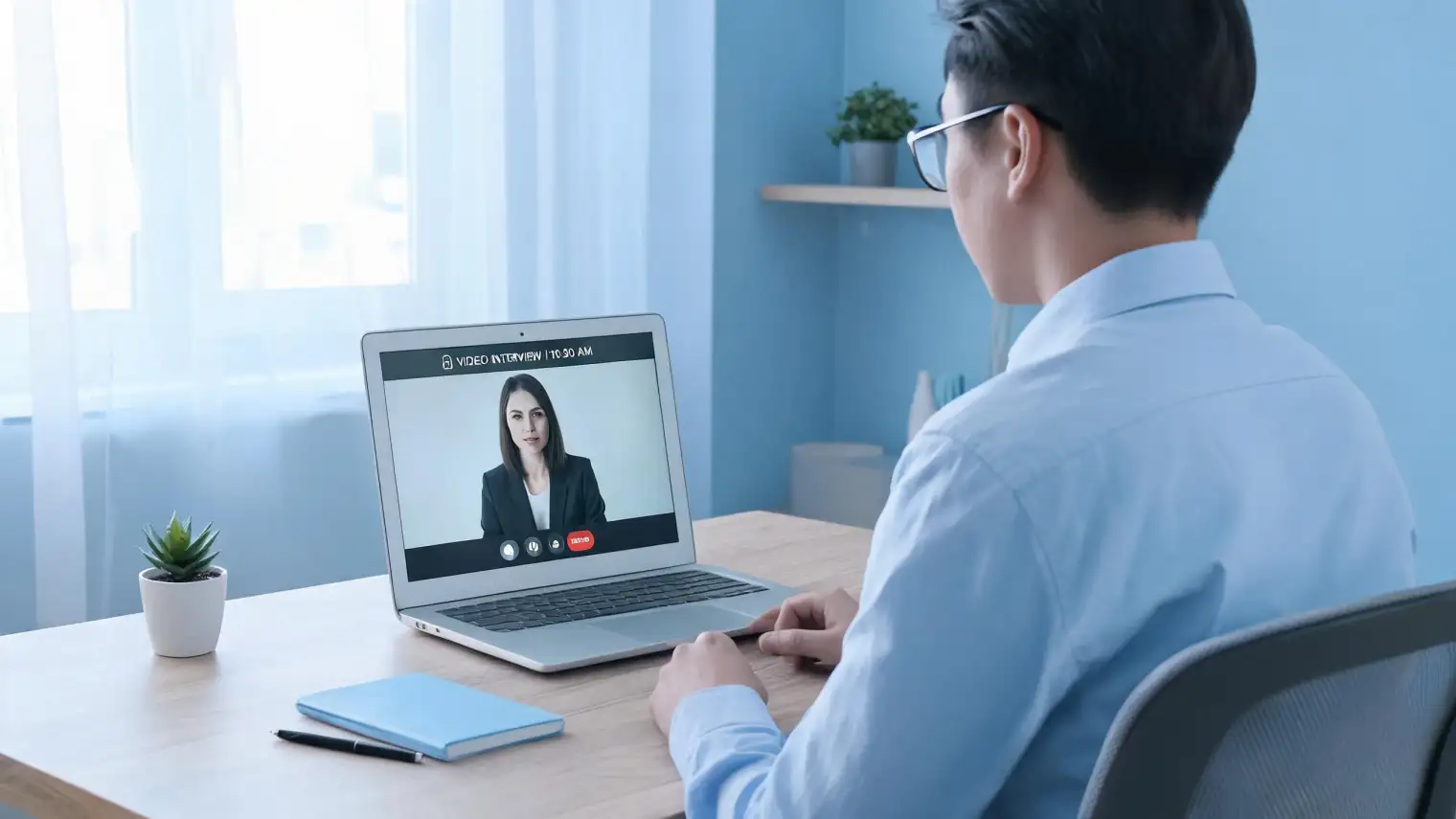
TL;DR: Can Zoom see your screen? Does Zoom detect screen sharing in interviews? No to both — Zoom cannot see your screen content or detect other applications during a standard job interview. Screen sharing in Zoom always requires your explicit permission via a browser dialog. Without that permission, the interviewer sees only your video feed and hears your audio. If a technical coding round requires screen sharing, you'll be asked to approve it first.
You've got a Zoom interview in 10 minutes. You've got notes in another tab, a cheat sheet document open, maybe your résumé pulled up on a second monitor. One question is gnawing at you: does Zoom detect screen sharing? Can the interviewer see all of that without you knowing?
This is a legitimate concern — and one that interview prep content almost universally fumbles. Most articles either reassure you without explanation ("don't worry, you're fine") or focus entirely on how interviewers can catch cheaters. Neither actually explains the technical reality for an honest candidate who just wants to know what the interviewer can see.
Here's the clear answer, based on how Zoom's browser permissions and API actually work.
What "Screen Sharing" Means in Zoom — And Why It Requires Your Permission
First, a technical clarification that most people conflate: Zoom "seeing your screen" and Zoom recording your camera are two completely different capabilities.
Your webcam is always active during a Zoom interview — that's the point. The interviewer sees your face, your background, and anything visible in your camera's field of view. That's standard and expected.
Your screen, however, is a separate data channel that requires explicit operating system-level permission. Modern browsers (Chrome, Firefox, Safari, Edge) enforce a hard boundary: no web application can access your display, application windows, or screen content without displaying a native browser dialog that you must approve.
This isn't a policy; it's enforced by browser APIs. When you share your screen on Zoom, you see a dialog asking which window or monitor to share. You select it and click "Share." At no point does this happen silently in the background.
So when candidates ask "does Zoom detect screen sharing in interview sessions without my knowledge" — the answer is no, because screen sharing in Zoom is always something you initiate, not something Zoom detects or activates unilaterally.
Can Interviewers See Your Screen on Zoom Without Screen Sharing?
No. And this is the clearest, most important point:
Without active screen sharing, a Zoom interviewer can see:
- Your webcam video
- Your microphone audio
- Your screen only if it's visible to the camera (secondary monitor in frame, for example)
They cannot see:
- Other browser tabs
- Other applications running on your computer
- What's on a monitor that isn't in your camera's field of view
- Background system activity
This holds true even for the Zoom desktop app versus the browser version. Neither gives the interviewer or Zoom itself any access to your display content without an active, approved screen sharing session that you started.
Zoom's own documentation on screen sharing controls confirms that screen sharing is always user-initiated, with granular options for what gets shared (full screen, application window, browser tab). There is no passive monitoring mode.
For context: this is different from dedicated proctoring platforms like HireVue or Karat, which may have specific monitoring tools built into their assessment environments. What HireVue actually monitors is a separate question with a different answer. Zoom without a third-party proctoring overlay is meaningfully less invasive.
When Screen Sharing Does Happen in Interviews
Screen sharing in Zoom interviews is real — but it's never hidden from you. Here are the scenarios where it actually comes up:
Technical / coding rounds: Some companies run live coding sessions where you code in an IDE or shared editor and the interviewer watches in real time. For this, either you'll share your screen explicitly, or you'll both work in a collaborative tool like CodePair, CoderPad, or Google Docs that doesn't require Zoom screen sharing at all.
Pair programming: Same pattern. You'll know, because sharing your IDE window requires you to approve the browser dialog or initiate screen share from the Zoom toolbar.
Case or whiteboard sessions: Some consulting interviews use Zoom's built-in whiteboard, which is a shared Zoom tool — not screen access. You're drawing in a shared space, not broadcasting your desktop.
Proctored assessments added to Zoom: A minority of companies run third-party proctoring software alongside Zoom. If this is required, it's disclosed in the interview instructions and requires a separate application install and permission grant. You cannot accidentally expose your screen through this mechanism.
The signal that screen sharing is NOT active: the green "You are screen sharing" banner that appears at the top of your Zoom window. If that banner isn't there, your screen is not being transmitted.
Zoom Interview Screen Monitoring: What Is Actually Logged
While Zoom can't see your screen content, there are legitimate monitoring capabilities built into Zoom that candidates should know about:
Meeting recordings: The host (interviewer) can record the Zoom meeting. When recording starts, every participant sees a red dot indicator and an on-screen notification. Zoom requires this notification — you will know if you're being recorded. The recording captures your video and audio, not your screen unless you're actively sharing it.
Attention tracking (deprecated): Zoom previously had an "attention tracking" feature that flagged participants who didn't have the Zoom window in focus for more than 30 seconds. This feature was removed in April 2020 following significant privacy backlash. It no longer exists in current Zoom versions.
Zoom's privacy statement for job candidates: Zoom publishes a candidate privacy statement describing what data they collect. It covers account activity and usage data — not screen content monitoring for meeting participants.
What Zoom analytics might include: The meeting host can see connection quality, device information, and join/leave times. None of this is screen content.
For a broader look at how online interview platforms handle monitoring, can online interviews detect cheating covers the full landscape across different platform types.
Zoom vs. Dedicated Proctored Interview Platforms
Standard Zoom interviews are not proctored. That's the key distinction.
Platforms like HireVue, Karat, and some CodeSignal assessments have proctoring built into their purpose-built software. Can HireVue detect tab switching is a meaningfully different question from the Zoom equivalent, because HireVue is explicitly designed to monitor candidate behavior during assessments.
Zoom is a general video conferencing tool. It doesn't have proctoring capabilities built in. An interviewer on Zoom has essentially the same visibility as an interviewer sitting across from you at a coffee shop — they can see your face and hear what you say, but they can't see your notes, your laptop screen, or what apps you have open.
Some companies add third-party proctoring software to Zoom-based technical interviews, but this is disclosed in advance, requires installation on your machine, and requests explicit permissions. There's no scenario in which Zoom itself exposes your screen to an interviewer without your knowledge.
If you want to use a real-time AI interview tool during a Zoom interview, Zoom interview AI assistants explains how tools like AceRound AI work in the context of Zoom calls — and what actually helps vs. what's theater.
Preparing for a Zoom Interview: What to Actually Focus On
Since your screen is not being monitored, the actual Zoom interview variables worth preparing for are:
Your video setup: Lighting from the front (not behind you), neutral background, camera at eye level. These aren't about hiding anything — they're about presenting well.
Your audio: Wired headphones over Bluetooth when possible. Background noise degrades interviewer perception even when it doesn't cause technical failure.
Your answers: This is the part that decides the outcome. The interviewer can hear your reasoning, follow your structure, and evaluate your communication. A confident, clearly structured answer will land better than a hesitant one with better content, every time.
The real flag: Human interviewers are surprisingly good at detecting when someone is reading prepared responses mid-conversation. Not because of monitoring software — because of response timing, unnatural eye movement, and the way hesitation patterns change. The preparation that works isn't notes in another tab; it's practicing until the content is internalized.
Try AceRound AI for structured interview practice before your Zoom call — not as a real-time crutch during it. Candidates who practice with AI before interviews consistently outperform those who try to use AI during them. Practice free at aceround.app.
FAQ: Zoom Screen Sharing in Interviews
Can an interviewer see my screen on Zoom? No, not unless you actively share your screen with them. Zoom requires explicit user permission for any screen capture. Without that permission, the interviewer sees only your camera video and hears your audio.
Can Zoom detect split screen? No. Zoom has no mechanism to detect whether you're running a split-screen setup, what applications are running on your device, or how your desktop is arranged. These would require OS-level screen capture permissions that Zoom does not hold in standard interview mode.
Can Zoom see what apps I have open? No. Application visibility requires screen sharing, which you must actively initiate. Zoom cannot inventory your running processes, open windows, or browser tabs without your permission.
Can Zoom hosts monitor browser tabs? No. Even with screen sharing active, Zoom only transmits what you've selected to share — a specific browser tab, an application window, or your full monitor. The host cannot switch between your tabs or see content you haven't shared.
Does Zoom monitor background applications during an interview? No. Zoom cannot access any application outside its own window without screen sharing permission. Background processes, open applications, and system activity are not visible to Zoom or the interviewer.
Will the interviewer know if I'm recording the Zoom call? If you're the host, you can record without a notification. If you're a participant recording locally, the host receives a permission request before recording starts. Recording the call without the host's knowledge is technically possible on some setups but is a separate question from what the interviewer can see about your screen.
Does Zoom have attention tracking? No. Zoom removed its attention tracking feature (which flagged participants who tabbed away) in April 2020. Current versions of Zoom do not include attention tracking functionality.
Author · Alex Chen. Career consultant and former tech recruiter. Spent 5 years on the hiring side before switching to help candidates instead. Writes about real interview dynamics, not textbook advice.
Related Articles
Does Harver Detect Cheating? What Its Proctoring Actually Checks
Does Harver detect cheating on its pre-employment assessments? A candidate look at Harver's Proctoring add-on, what gets logged after a flag, and what happens next.
Micro1's Zara AI Interview: What It Actually Tests (And Why Timing Gets Flagged)
Micro1's AI interviewer Zara has run 300,000+ interviews for remote roles. Here's why it flags response latency as a cheating signal, and what that means for AI prep.
Does CoCubes Detect Cheating During the Online Assessment?
CoCubes (an Aon platform) proctors off-campus drives with real AI monitoring — what it actually watches, what candidates report, and where prep helps.